Thursday, January 17, 2008

It is finished.

Well it took a while, but the living room's wood floor is finally finished. This week we put in the final corner, finished the border that goes around the room, and set it up so that when we are ready, we can start flooring the dining room. Next flooring project: the upstairs hall and the steps.

I can't stop …

So we left our renovation site (home) for our Christmas break and went down to Georgia. Obviously, though, construction is now in our blood. What did we do for most of our break? Yes, you guessed it, we built stuff. Cindy's mom was in definite need of shelves for her collection of books. They were all so improperly stored in many cardboard boxes. So with the very generous loan of tools from extended local family and lots of work, the books are now properly displayed and stored on her new bookcase, featuring 20 fixed shelves and 15 adjustable shelves, in her new reading room. We did not have time to do the finishing touches, so we will have to go down to add molding and to paint the adjustable shelves. For the meantime, though, we rest content that the books have a proper resting place.

Wednesday, November 28, 2007

Update on the living room floor

In a previous post, I posted some pictures of our living room floor. Here are a couple of update pictures:


Now, if I can find time to finish the last corner and start the transition into the dining room, we'll be able to call the living room floors done.

Sunday, November 25, 2007

Our first fire in our fireplace

Well, I did my doctoral work in combustion, but I learned how to set up and start a fire in a fireplace years earlier from my papà. So when it came to having our first fire in our fireplace, I used his patented fire stacking technique. Judge for yourself ...

Now, first you start with a good under layer of paper.

Then you add a good layer of small branches: kindling, as they sometimes call it.

Finally, you put on the smaller logs with the larger logs in waiting.

Now the next tip was furnished by our chimney sweeper. After you open the damper, in the chimney, burn one piece of paper per story in your house to warm up the flue and start the drafting process. Once that is done, light the paper under the kindling and enjoy!


Friday, November 9, 2007

authenticity - David F. Wells

The postmodern reaction against Enlightenment dogma will not be met successfully simply by Christian proclamation. Of that we can be sure. That proclamation must arise with a context of authenticity. It is only as the evangelical Church begins to put its own house in order, its members begin to disentangle themselves from all of those cultural habits which militate against a belief in truth, and begin to embody that truth in the way that the Church actually lives, that postmodern skepticism might begin to be overcome. Postmoderns want to see as well as hear, to find authenticity in relationship as the precursor to hearing what is said. This is a valid and biblical demand. Faith, after all, is dead without works, and few sins are dealt with as harshly by Jesus as hypocrisy. What postmoderns want to see, and are entitled to see, is believing and being, talking and doing, all joined together in a seamless whole. This is the great challenge of the moment for the evangelical Church. Can it rise to this occasion? - David F. Wells

found in David F. Wells, Above All Earthly Pow'rs (Grand Rapids: Eerdmans, 2005), 315.

I would add that this is not a postmodern challenge, but it is valid for all times. As DC Talk sings of in What if I Stumble?: "The greatest single cause of atheism in the world today is Christians, who acknowledge Jesus with their lips, and walk out the door, and deny Him by their lifestyle. That is what an unbelieving world simply finds unbelievable." Will you please live out your faith? If not, will you stop telling people that you are a Christian? (BTW - I'm not talking about perfection, I'm talking about submission.)

Wednesday, November 7, 2007

A week in France: looking for the history of the church - day 2

The next morning started with a good breakfast and the picking up of our rental car: a new Volkswagon Passat (btw - this was a really fun car to drive around France). From there, we checked out of the hotel and made our way to the Papal palace in Avignon where we arrived just in time for the Heineken delivery; after all it would not be a good papal palace without a good stock of beer, right?

The palace was quite interesting. Not only did we get to walk through this great building and learn much about the catholic history of the time, but we also were able to see a couple of artifacts concerning Protestantism of the time. We saw a copy of an indulgence note and a copy of engravings left on prison walls in the 16th century by Protestants who had been imprisoned by the pope.

We then proceeded to drive north toward the city of Orange. Orange is famous for its Roman amphitheater. Many amphitheaters have much better preserved steps/seats, many are larger, but few have such a well preserved back wall (because of the construction techniques, weather, materials, etc., the back walls are very prone to collapse). Of interest is a statue of the emperor, found in the middle of the wall, who is overseeing the show and blessing it. By the way, located just outside the amphitheater is a temple dedicated to such emperor worship. How convenient, you could thank the emperor for the games on your way out.

After some shopping and a good crêpe meal, we headed to Anduze, home of Le Musée du Désert: a museum of protestant history dedicated mainly to the desert period (1685-1789), which is considered to go from the revocation of the Edict of Nantes to the French Revolution. The museum was closed when we got there, so we looked at local potteries, found all the sites we wanted to visit the next day, and settled in for the evening.

church and culture - David F. Wells

Ways of thinking and organizing in our society often become our ways of thinking about ourselves and organizing our lives. Thus, those who gaze at a computer screen by day and a television screen by night may well feel awkwardly obsolete in church if there is not another screen on which to gaze. The demands of efficiency, and the rational, impersonal workings of bureaucracy, are so much a part of who we have become that many of us also want our churches to have the feel of a smoothly run corporation. Our capitalism has been so virile and abundant, filling our lives with goods in quantities unknown in any previous age, that it seems only natural - at least in middle class, white churches - to expect the same range of choice in programs and services as we experience in the commercial world. The norms of the workplace so easily and so unknowingly become our own internalized norms. And this is true of most people. - David F. Wells

found in David F. Wells, Above All Earthly Pow'rs (Grand Rapids: Eerdmans, 2005), 22-3.

Wells unfortunately points out that way too often, culture has transformed the church, but is that what is supposed to happen? No, as I stated a while back when I posted a short post called The kingdom of heaven, Christ calls us to transform culture, not for culture to transform us. So let me ask again: are we affecting the world around us?

Tuesday, October 16, 2007

The windshield wipers and the internet

It is amazing what one can learn from the internet. I often joke with people that I have learned how to do all I have done on the house by surfing the web. While this is definitely an exaggeration of the truth, I have learned much from the web.

For example, I have learned how to install a new circuit breaker from the web, and, like Cindy likes to say, I am still alive to tell about it. I have also learned how to install wood flooring from the web. The process is very simple and with some ingenuity can be embellished: see the pictures of our Brazilian Cherry wood floors, with border, that I am currently installing in the living room and will eventually install throughout the house.

From time to time I reach an impasse or need some input, and so I go and search, search , search, until I find the answer. For example, several months ago our windshield wipers on the Saturn started misbehaving. I could turn them on, but could not turn them off unless I turned the car off at precisely the right time: when they were at their lowest position. Since we are in a drought, it has not been very inconvenient, but with the advent of fall and the lower temperatures in the morning which cause condensation on the windshield, it finally had to be fixed. So where did I turn to try to figure out what might be wrong with my 1998 Saturn SL2's windshield wipers? Well, you guessed it: the internet and my friend Google. I entered the search string: "1998 Saturn SL2 windshield wipers do not stop," selected the first proposed site which had a link to a site which contained the answer: replace the motor.

The answer at first did not make any sense. I talked it over with a couple of friends and did some tests and convinced myself that the motor was the problem. So I asked a friend if he could change the motor. And guess what? The site was right, changing the motor did fix the problem. So if you are having the same problem, now you have TWO sources confirming the solution. BTW, the reason it fixed the problem has to do with the gearing in the motor, but I won't go into that here.

So next time you have a question, hop on over to the information superhighway, you never know, you might find the answer to all your know how problems.

Wednesday, October 3, 2007

More Philosophy and Ecclesiology

Another comment that came to mind last night:

My professor was pointing out one of the flaws of post-modernism: it claims that truth is known in community and that as long as the community agrees that something is the truth, then it is valid in that community, even if that truth would not be agreed upon in the community next door. He correctly pointed out the lack of absolutes this type of thinking displays, and therefore that line of thinking is flawed.

This got me to think of Christendom. Aren't denominations just that: communities that agree something is true, even if its truth is different from the community next door? Isn't this mentality then by parallel flawed? Or am I committing an informal fallacy? Yet, some in Christendom would state that denominations are a positive thing, since they allow unity amongst diversity (viz. thanks to denominations, we can disagree, but since we are separate, we can do that without struggle). Aren't they therefore also denying the absolutes?

Tuesday, October 2, 2007

Philosophy and Ecclesiology

Tonight, during my philosophy class, my professor stated that one problem with today's culture is that things are often defined by what they do and not by their essence: particulars are used to define things, not universals.

This got me to thinking ... if this is a Christian complaint about the culture, then why do most Christian ecclesiology books commit the same fallacy when defining the church? Why is the church so often defined by function instead of by essence?

Is it that people do not understand the essence of the church? Is it that looking at essence would result in a different ecclesiology? What do y'all think?

Tuesday, September 25, 2007

Turabian in MS Word 2003

Tired of having one document for your title page and another for the rest of your document? Tired of pulling out your hair while inserting footnotes? Well, you don't have to. Below you will find some simple instructions to help you format your term paper all in one file and to save money on those hair transplants.

You will cover 5+1 lessons:
Lesson 1 - Seeing is believing: how to show your formatting marks
Lesson 2 - First impressions: creating the Title page a la SEBTS / SECWF
Lesson 3 - And the rest of the story: formatting the rest of the pages
Lesson 4 - 1, 2, 3 ... let's number all our pages
Lesson 5 - Footnotes, footnotes ... lots of footnotes
Lesson Misc. - How does she expect me to do that? A list of more tips ...

So ... ready to start? Well, open a New document in MSWord.

To understand what is going on and to better know what you are doing in MS Word, let's get in the habit of showing your formatting marks. To do this click on the paragraph mark symbol on the standard toolbar: Now you will be able to see all your formatting marks (marks which by the way, will not print).
Formatting Feature

PRESS

Formatting Mark
space SPACE BAR
line break SHIFT + ENTER
paragraph break ENTER
tab mark TAB
page break
section breaks

Page breaks are yesterday's tool for separating two pages. Meet your new best friend: section breaks! Section breaks are at the heart of this method of pagination for a term paper. They will not only allow you to easily adjust your margins, but, in combination with headers and footers, will allow you to insert page numbers a la Kate.
So let's get right to it ...
  1. Go to the menu bar and press Insert, and then Break.

  2. In the Break dialog window under Section break types press Next page and then click on OK.

  3. Your first page will look as follows:

  4. So what have we done so far ... well, you have divided your document into two sections. That means that your document now is actually two documents in one. The first section can be formatted anyway you want it without affecting the other sections. Your title page, that is section one, needs a 3" top margin so go ahead, set the margins ...

  5. First of all position your cursor before (to the left of) the Section Break marker on the first page.

  6. Now, go to the menu bar and press File, and then Page Setup.

  7. In the dialog window under Margins set the Top margin to 3" and the Bottom margin to 1.6". Now you might be asking yourself why should I set the bottom margin to 1.6" when the bottom line of my title page should be at 2". What happens when you set the bottom margin at 2", your bottom line will be at 2.3" from the bottom; setting it at 1.6" allows you to have a bottom line 1.9" from the bottom, which is a lot closer to the required 2".

  8. Now finish off your title page by putting all the information required on it. I suggest that you set this page to be double spaced. To do this go to the menu bar and press Format, and then Paragraph. In the dialog window under Spacing set the Line Spacing to Double. Now insert all the required information remembering that the A Paper line needs to be at the center of the page: that is theoretically at 5.5", but practically at 5.6".

  9. Congratulations you are now finished with your Title Page!


Now that the Title page has been created it is time to find out how we format the rest of the document.
  1. Now ... position your cursor on page two. You will remember that according to 14.10 in the Turabian manual, the first page of your paper, which is considered a new major section will have a 2" top margin, while the rest of the paper according to 14.2 will have a 1" top margin. You could get around the setting margin issue by adding several paragraph breaks, but, as we will see in Lesson 4, that would not help you with page numbers.

  2. So, since the first page is different from the other pages, it has to be a different section.

  3. Go to the menu bar and press Insert, and then Break.

  4. In the dialog window under Section break types press Continuous and then OK.

  5. What you have done is make the current page (the first page of your paper, but in reality page two) a section by itself, that is section two. The rest of the document is now section three. The trick here is to realize that everything you do before this section break affects only section two, and everything you do after this section break affects section three.

  6. Position your cursor before the section break

  7. Go to the menu bar and press File, and then Page Setup.

  8. In the dialog window under Margins set the Top margin to 1.9" (because of the section break taking up space a 2" setting will result in a 2.1" top margin), the Bottom margin to 1", and also make sure that the Left and Right margins are set to 1". Click OK.

  9. Position your cursor after the section break

  10. Go to the menu bar and press File, and then Page Setup.

  11. In the dialog window under Margins set the Top margin to 1", the Bottom margin to 1", and also make sure that the Left and Right margins are set to 1". Click OK.

  12. Now that you are done formatting the Page, we need to format your paragraphs. Go to the menu bar and press Format, and then Paragraph. In the dialog window under Indentation set the Special to First Line and the By to 0.25" (this will indent the first line of every paragraph by about 5 spaces, see 14.4 in Turabian). Also in the dialog window, under Spacing set the Line Spacing to Double. Click OK.

  13. Except for page numbers, which will be discussed in Lesson 4, you are done formatting your document. Do remember that any other chapter or sections (such as a Bibliography, for example) needs to follow the 14.10 Turabian rule. Thus when you are done writing your paper insert a next page section break, and then repeat what you have just done above.

What I am about to show you will NOT work if you have not set up your paper into separate sections, so if you did not read Lessons 1-3, go back and read them now.

Never ever ever use Page Numbers from the Insert menu again. To insert page numbers we will now work directly with our headers and footers.

  1. Thus the first thing we need to do is to show our headers and footers. Go to the menu bar and press View, and then Header and Footer. This not only will show you your header and your footers, but will automatically position your cursor in the header of the page you are currently working on.

  2. Also, you should now see the Header and Footer toolbar:

  1. You might have notices that one button on the Header and Footer toolbar is shaded. This button allows you to control how the header (or footer) of each section links to the header (or footer) of the previous section. When it is shaded, you will see the words Same as Previous, at the top right hand corner of your header (or footer). This means that the header (or footer) for this section will be like the header (or footer) of the section before it. Since this is NOT what you want, click on the button. Now the button is no longer shaded and the words Same as Previous no longer appear at the top right hand corner of your header (or footer).

  2. You must perform the same action with all the headers and footers in your paper. Word has three buttons that will facilitate your movement:

    Switch Between Header and Footer
    for a given section

    Show Previous
    takes you to the previous section

    Show Next
    takes you to the next section

    BEFORE YOU DO THAT, if you have not yet written any of the text of your paper (which is probably the case if you have been following this tutorial from the beginning), be forewarned that right now you will not be able to see Section 3. So either wait until you have written some text to insert the page numbers, OR insert a page and a half of paragraph marks in the body of your paper. This will allow you to see Section 3 so that you can insert the page numbers correctly (steps 5-8 below). Once done inserting the page numbers (after step 8), you can safely erase the paragraph marks without loosing the formatting you just did.

  3. Once all your header and footers are disconnected, it is time to insert your page numbers. I suggest that you start by positioning yourself on the first text page, that is the page after your title page, to insert your first page number. Thus position yourself in the correct location, that is that is the Footer of Section 2, and press the Insert Page Number button.

  4. You will most likely find out that the number that has just been inserted is a 2. Now you really want a 1 on this page, so to change this you will have to format your page numbers by pressing the Format Page Number button. This will open a dialog window where, under Page numbering you can set Start at to 1 and then click on OK. Now you will notice that your page number changed from a 2 to a 1, just what you wanted! Make sure this number is centered according to Turabian 14.9, and you are done with section 2.

  5. Now position yourself in the Header of Section 3, and inset a page number by pressing the Insert Page Number button (you only insert it once for the whole section). Don't forget that since section three is the rest of your paper (excluding bibliography or appendices), the page numbers need to right justified according to Turabian 14.9.

  6. You have now successfully inserted page numbers. Double check that there are no page numbers anywhere on the title page, or at ten top right corner of the first page, or at the bottom of the succeeding pages. If that is the case: CONGRATULATIONS!

Now that the whole paper is formatter, your last challenge is inserting footnotes and formatting them, and since by now you have become a MS Word expert, let me introduce you to some neat features of MS Word.
  1. To insert footnotes, position your cursor where you want to insert your footnote and then go to the menu bar and press Insert, then choose Reference, and then Footnote... .

  2. This will open a dialog window. In this dialog window under Location, set Footnotes to Bottom of Page. This will allow you to match rule 14.15 in Turabian. Then press Insert.

  3. Rule 14.13 in Turabian specifies the rest of the formatting for footnotes. Here you have a choice, either you format every single note, one at a time as you insert them, or you learn about Styles and Formatting. I will assume that you would rather learn than incessantly format footnotes over and over, so let's do it!

  4. The trick to doing this only once is to get it set up from the start, so right after step 2. above, before you type in any text, do the following: go to the menu bar and press Format and then Styles and Formatting....

  5. This displays the Styles and Formatting Task Pane. Here you will see, in the Formatting of selected text window, Footnote Text, right click on it and choose Modify...

  6. This will open a dialog window. At the bottom left hand corner of the window click on Format, and choose Paragraph...

  7. This will open another dialog window. Under Indentation set Special to First line and By to 0.25" (this indents the beginning of the footnote about 5 spaces). Also under Spacing make sure Line spacing is set for Single and set After to 10pt (this automatically puts a blank line following the footnote). Click on OK.

  8. Before you close the Modify Style window, make sure you know whether your professor wants the footnotes in 12pt font or 10 pt font. As a general rule, the college requires 12pt and the seminary 10pt, but this varies from professor to professor. Currently the font is probably set to 10pt, if this is what you want, then go to step 9. below, if it isn't, at the bottom left hand corner of the Modify Style window click on Format, and choose Font.... This will open the Font dialog window in which you can pick the font size you desire. When you are done click OK.

  9. Finally click OK on the Modify Style dialog window and you are done.

  10. To insert any other footnote all you have to do are steps 1. and 2. above.

  11. In the next lesson I answer some frequently asked questions, which might interest you, so go take a look!

How do I ...

Bibliography

The first thing you should remember is that the Bibliography is a new chapter, and thus needs to be formatted as so (see step 13 in Lesson 3). The secret to formatting the rest of the Bibliography correctly is in the Format, Paragraph option of MSWord. Here are some simple instructions on what to do:

  1. Before you press return after your first source, go to the menu bar and press Format, and then Paragraph. This will open a now familiar dialog window.

  2. In Indentation set the Special to Hanging and the By to 0.25" (this makes the first line flush and the rest indented 5 spaces to follow rule 9.8 in Turabian). Also under Spacing set the Line Spacing to Single, and After to 12pt (this will make your entries single spaced and automatically place a blank line after each entry to follow rule 9.8 in Turabian). When done click on OK.

  3. That's all folks!

Block Quotes

The secret to formatting a block quote is in the Format, Paragraph option of MSWord. Here are some simple instructions on what to do:

  1. Make sure that your cursor is in the paragraph you want to format.

  2. Go to the menu bar and press Format, and then Paragraph. This will open a now familiar dialog window.

  3. In the dialog window under Indentation set the Left to 0.25" (this will indent the whole paragraph by about 4 spaces, see 5.30 in Turabian). Also in Indentation, depending on what 5.32 in Turabian prescribes, you might have to set the Special to First Line and the By to 0.25". Finally don't forget to set this paragraph to single spacing: under Spacing set the Line Spacing to Single. When done click on OK.

  4. That's all folks!

Monday, September 10, 2007

CIS 1100 B workout

I wanted my students to practice.

Students remember:
<b>boldface</b>is for boldface
<i>italics</i>is for italics
<a href="http://www.sebts.edu">links</a> is for links, in this case to www.sebts.edu

Wednesday, September 5, 2007

CIS 1100 A workout

I wanted my students to practice.

Students remember:
<b>boldface</b>is for boldface
<i>italics</i>is for italics
<a href="http://www.sebts.edu">links</a> is for links, in this case to www.sebts.edu

Tuesday, August 28, 2007

Meekness is not a weakness - 9Marks Trends

Well, we have come to the last trend that I noticed from A Pastors’ and Theologians’ Forum on Selecting Elders, a 9Marks article given to me by a brother in Christ. Previous posts in this series have included:

As was seen in the last post in this series, one of the main benefits of selecting pastor/elders from within the body is the opportunity to observe their lives (on a related note, check out this post on Advantages of non-hired, local leaders ). This allows the body really to get to know someone and know if the person has some temper or humility issues. Consider the following quotes:

“One of the lessons I’ve learned and re-learned in more than one church is the danger of selecting a man to serve as elder who has a history of protracted, repeated, and/or unresolved conflict. … This may demonstrate itself in a lack of gentleness, a propensity to taking rigid positions when none are required, an inability to lose graciously, or simply an over-love of debate. Whatever the form it takes, quarrelsomeness is a serious impediment to effect service as an elder; unchecked it is a clear disqualification (1 Tim 3:3). … Meekness is not a weakness.” - Michael Lawrence

“Be careful about recognizing an elder who has an unhealthy interest in theological disputes.” – Ed Roberts

“Quieter men, quiet hearts, are worth their weight in gold and may astonish us by their wisdom.” – Sinclair B. Ferguson

Well said gentlemen! The church is in need of much meekness and humility. Too often believers so believe that they are right, that they do not care who gets run over as long as their ideas get recognized as right. This usually results in strife and division in the body of Christ and a bad witness to the world around it.

Thanks, Dennis, for the article. I have been encouraged by it, and I hope all of you readers have been too.
Thursday, August 23, 2007

10 Years

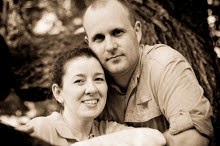
Today marks my and Cindy's TEN year anniversary. Like many have experienced before us, and many will experience after us, ten years is one of those milestones which elicit feelings of unbelief of how long and of how short it has been: it's hard to believe that it has already been ten years since the day we said "I do," and yet it feels like we have known each other forever and have always loved each other, yet ten years is a lot less than forever.

As I think of a description of who I was ten years ago, I can't help but think "immature." I was a brand new believer in Jesus Christ, 23 years old, working on my Ph.D. in AE, with many selfish dreams. Now ... well let us just say that God has been refining me (He still has much work to do),I'm 33 years old, finishing an MDiv and considering another Ph.D., this time in Theology or Philosophy, trying to be like John the Baptist and allow Christ to increase in my life and Maël to decrease.

I've been blessed with a lovely wife who has been my helpmate on this journey, which is much different than the journey we thought we were going to be taking ten years ago. A wife which God has given me to love me, to encourage me, and as a friend once said, to keep me humble.

To our past ten years, Honey: may God grant us many, many more.

Sunday, July 1, 2007

Karma - doing good deeds to counteract the bad

In this day in time, terrorists are getting a really bad rap. Many see them as monsters, but after all, they feel like they are real people. Some of them also have some spiritual concerns: karma is fast on the heels of some, Allah is watching over the works of others, and some are afraid of what the pope might say.

Bottom line, many have burning consciences and are trying to make things right. You never know when a terrorist will help you carry your groceries to your car or open the door for you. For example, this morning I got up and found the unibomber mowing my grass (see the picture to the right).

All jokes aside ... it took over 5 hrs for Cindy to cut the whole front and back yard. The dogs love the yard, but it's about time that they start learning how to push that mower!

Sunday, June 24, 2007

Progress on the front of the house

the original siding with rotten fascia boards (07/18/06)

close up of the porch with our new light, old everything else (11/02/06)

new second story, old first story (01/18/07)

siding and new fascia boards on the second story, new siding to the right of the front door. Old siding being ripped off where you see black to the left of the door. (06/14/07)

more siding has been removed where you see black (06/16/07)

all the old siding has been removed from the front and more new siding is going up (06/19/07)

more new siding is up to the left of the door (06/19/07)

look at all that new siding! (06/20/07) compare to ->

Join my blog network
on Facebook